Support Appointment Form
Please fill out the following information so we can provide you with timely phone support.



How to Return & Refund ONWOTE Products
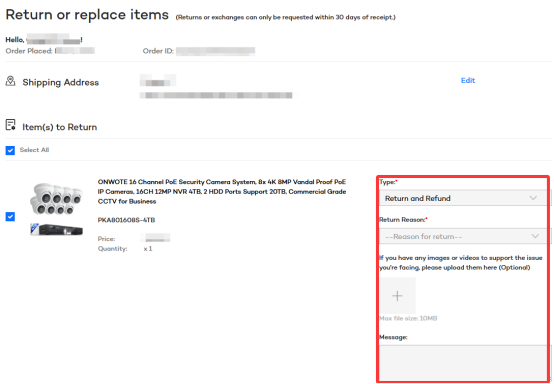
1. Login your ONWOTE account. From the menu under your profile picture in the top-right corner of the page, select “Your Orders.”

2. In your order list, locate the order you want to refund, return, or exchange, and click the “Return and replace items” button.
3. Please choose the specific return or exchange type and reason. As a friendly request, we kindly ask that you describe the issue in detail and provide any supporting videos or images. This will help the ONWOTE team accurately understand and verify the situation, and allow us to resolve your issue more efficiently.
4. If we have questions about your request, we may ask you to provide additional evidence. In this case, your order status will be updated to “Need Actions”.
5. If we have no questions about your request and no return is required, we will issue a refund or send a replacement.
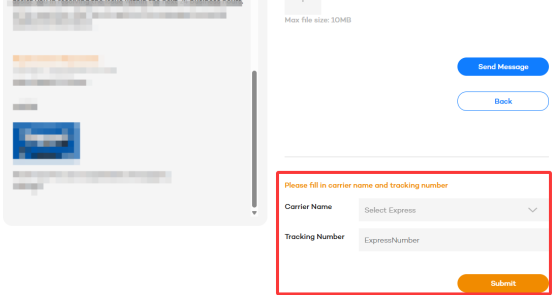
6. But if a return is needed, the status will change into “Please Return”— at that point, please send back the product and fill in the shipping info in the bottom-right corner of our chat. After we receive the items you returned, we will issue a refund or send the replacement.